

Description
Download AR Drawing: Trace to Sketch APK – AR drawing, trace to sketch, art app, digital sketchpad, augmented reality, creative tool, drawing app, art for beginners, sketching app, drawing tool, creative inspiration, image tracing, digital art, art software, art utility
Overview
AR Drawing: Trace to Sketch is a mobile application designed to merge augmented reality with artistic creation, enabling users to transform ordinary images into detailed artworks. The app, developed by Luna Media, leverages AR technology to project images onto physical surfaces through a smartphone camera, allowing users to trace them with precision. It serves as a creative utility for both novice and experienced artists, offering a structured yet flexible environment for sketching and drawing. The primary purpose of the app is to simplify the process of replicating complex images, making it accessible to users without advanced drawing skills. It supports a range of artistic use cases, including portrait rendering, landscape sketching, and abstract design exploration. Users can import images from their device library and convert them into traceable formats, expanding the scope of creative experimentation. The app also includes a time-lapse recording function, capturing the entire drawing process, which can be used for personal documentation or educational sharing. While the developer did not provide additional details about the app’s technical foundation or user base demographics, its focus on accessibility and visual precision suggests it is tailored for hobbyists, students, and emerging artists seeking an engaging way to develop their skills. The app’s integration of AR projection and digital tracing positions it as a modern tool for digital art creation.
Key Features & Capabilities
- Augmented Reality Image Projection – The app uses the device’s camera to project selected images onto physical surfaces, enabling real-time tracing with enhanced accuracy.
- Image Import and Conversion – Users can select images from their device’s library and convert them into traceable sketches, allowing for personalized artistic projects.
- Trace and Sketch Functionality – A core feature that supports precise line tracing, helping users replicate intricate details from source images.
- Customizable Transparency and Line Styles – Users can adjust the opacity of projected images and choose between different line styles to suit their artistic preferences.
- Time-Lapse Video Recording – The app records the entire drawing process, preserving the journey from blank canvas to finished artwork for review or sharing.
- Diverse Template Categories – A selection of pre-designed templates across genres such as landscapes, portraits, and abstract designs supports varied creative exploration.
These features collectively streamline the artistic workflow, reducing the learning curve for beginners while offering advanced customization for more experienced users. The time-lapse function, in particular, serves both as a motivational tool and a learning aid, allowing users to analyze their technique over time. The ability to convert personal photos into sketchable formats opens up endless creative possibilities, turning everyday visuals into unique art pieces. The app’s interface appears designed for intuitive use, minimizing friction during the creative process. While performance details were not specified, the app’s reliance on AR suggests optimized rendering for real-time projection. Overall, the feature set positions AR Drawing: Trace to Sketch as a versatile tool for digital sketching and artistic expression.
User Interface, Workflow & Performance
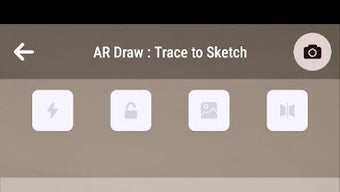
The user interface of AR Drawing: Trace to Sketch is structured around simplicity and visual clarity, prioritizing ease of access to core functions. Navigation appears to be centered on a main dashboard where users can select from templates, import images, or start a new sketch. The app likely employs a touch-based workflow, allowing users to tap, drag, and adjust settings with minimal effort. The AR projection feature is expected to be activated with a single tap, initiating camera feed integration and image overlay. Workflow efficiency is enhanced by the seamless transition between image selection, projection setup, and tracing. Users can adjust transparency and line weight in real time, ensuring accurate alignment during the drawing process. The time-lapse recording function appears to operate in the background, capturing each stroke without interrupting the user experience. While exact performance metrics were not provided, the app’s reliance on AR suggests optimized handling of camera input and image rendering. The developer did not specify resource usage details, so CPU and RAM behavior remain unknown. Stability during extended use was not documented. However, based on general mobile app behavior, the app is expected to maintain consistent performance under normal conditions. Users may experience variations depending on device hardware and camera quality. Overall, the interface appears designed with accessibility in mind, supporting both casual users and those seeking a more structured creative process.
Compatibility & System Requirements
AR Drawing: Trace to Sketch is available for Android devices, with version 1.0.2 currently released. The app has a file size of 142 MB, indicating a moderate installation footprint. It is designed to run on Android operating systems, though specific version requirements were not listed. The developer did not provide additional details about hardware specifications, such as minimum RAM, processor speed, or camera resolution. As such, exact system requirements remain unclear. Compatibility information is limited to the platform and version mentioned. Users are advised to ensure their device supports AR functionality, particularly ARCore, for optimal performance. The app may require access to the camera, storage, and microphone for features like image capture and time-lapse recording. While no compatibility issues were reported, users with older Android devices may encounter limitations. The developer did not specify whether the app supports tablets or foldable screens. For accurate deployment, users should verify their device’s AR capabilities and available storage space before installation.
Pros and Cons
Pros
- Intuitive AR-based tracing interface for accurate drawing
- Supports image import and conversion for personalized content
- Time-lapse recording enhances learning and documentation
- Offers diverse template categories for varied artistic exploration
- Customizable transparency and line styles for creative flexibility
- Free to download and use, with no upfront cost
Cons
- Exact system requirements were not specified
- Performance details on different devices were not provided
- Limited information about offline functionality
- Compatibility with non-standard Android devices is unclear
- No mention of cloud sync or cross-device access
FAQ Section
Is AR Drawing: Trace to Sketch compatible with all Android devices?
Compatibility is limited to Android devices that support augmented reality features. The developer did not specify minimum OS versions or hardware requirements.
Is the app safe to download and use?
AR Drawing: Trace to Sketch is available as a free APK from official sources. The app requires standard permissions such as camera and storage access, typical for AR-based tools.
Does the app require an internet connection?
While the app may function offline for basic tracing and sketching, certain features like template downloads or time-lapse uploads may require an internet connection.
How often are updates released?
The app was last updated on April 15, 2024. The developer did not provide information about update frequency or release schedule.
Can I use my own photos as tracing templates?
Yes, users can import images from their device library and convert them into traceable sketches within the app.
Final Thoughts + CTA
AR Drawing: Trace to Sketch presents a compelling blend of augmented reality and digital artistry, offering a unique approach to sketching that lowers the barrier to entry for aspiring artists. Its ability to project images onto real surfaces and support customizable tracing makes it a practical tool for both learning and creative expression. The inclusion of time-lapse recording adds educational value, while the variety of templates encourages diverse artistic exploration. Although specific technical details such as system requirements and performance benchmarks were not disclosed, the app’s core functionality appears well-executed and accessible. It is particularly beneficial for beginners seeking structured guidance, as well as intermediate users looking to refine their skills. For those interested in digital sketching, AR-based drawing, or creative experimentation, this app delivers a functional and engaging experience. Download AR Drawing: Trace to Sketch APK now and unlock your artistic potential with a tool that turns imagination into reality.
Guides & Tutorials for Ar Drawing Trace to Sketch APK
How to install Ar Drawing Trace to Sketch APK
- Click the Preview / Download button above.
- Once redirected, accept the terms and click Install.
- Wait for the Ar Drawing Trace to Sketch APK download to finish on your device.
How to use Ar Drawing Trace to Sketch APK
This software is primarily used for its core features described above. Open the app after installation to explore its capabilities.
User Reviews for Ar Drawing Trace to Sketch APK 0
No reviews found





